
StyleSVG

PNG to EPS

Convert PNG to EPS the way print shops actually want it: traced into vector paths, not a bitmap wrapped in an EPS file. Upload a PNG or JPG, check the free preview, and download an editable EPS together with matching PDF and SVG files.

Made for

The traced result as it is. You can adjust everything afterwards.

Drop your image here

PNG, JPG, WEBP or GIF · up to 25 MB · one free preview a day, no signup

Signed in? Pick up to 20 images at once.

Choose image
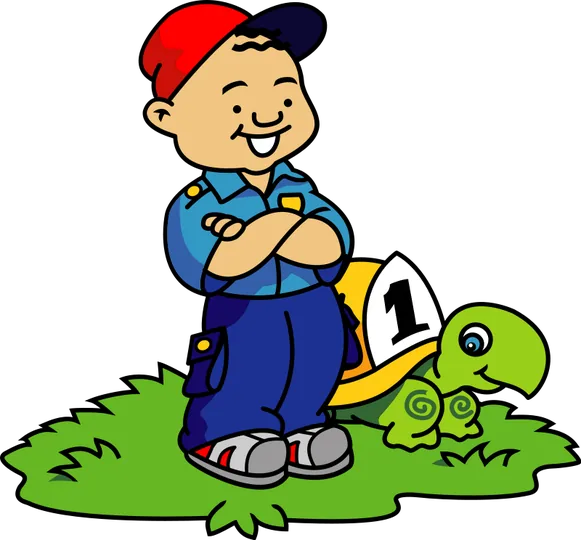
Cartoon boy and turtle clip art in full colour, saved as a PNG file
Before: a full-colour PNG with a transparent background.
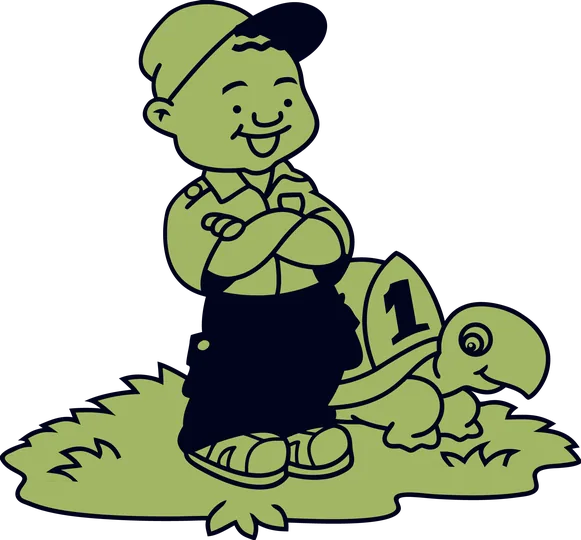
The same clip art reduced to a two-tone vector with closed outlines | PNG to EPS
After: the laser preset gives two tones with closed shapes, exported as EPS, PDF and SVG.

What Is an EPS File, and Why Do Printers Ask for One?

EPS (Encapsulated PostScript) is one of the oldest vector formats in professional printing. Sign makers, embroiderers and screen printers still list it in their artwork requirements because almost every production program can place it, from large-format RIP software to vinyl cutter drivers.

EPS versus PNG in a sentence

A PNG is a fixed grid of pixels that looks soft when enlarged, while an EPS can describe shapes as curves that print sharply at any size. The catch is that an EPS can also contain pixels, so the file type alone does not guarantee a vector.

Why a renamed or wrapped PNG fails

Many quick converters simply place your PNG inside an EPS container. The printer opens it, zooms in and sees the same blurry pixels, and the file is rejected. A proper conversion traces the picture into paths first, which is the step most free tools skip.

Image to EPS through vectorizing

StyleSVG traces the image with AI, cleans the result and writes every shape into the EPS as PostScript path commands: move, line, curve and fill. No bitmap is embedded, so the shapes can be resized, recoloured or cut in the receiving software.

Vectorize an image →

Why Use Our PNG to EPS Converter?

Getting a file accepted by a print shop is about more than the extension. These features exist to make that first upload the right one.

Real vector EPS output

Every EPS contains outlines only, with a correct bounding box and the same proportions as your image. Turn on cutter-friendly mode to close every shape and drop tiny specks, which plotters and vinyl cutters appreciate. Shapes keep their exact colours, so a spot colour you pick in the editor arrives unchanged in the printer's software.

PNG to EPS converter with colour control

Screen printing and embroidery are priced per colour. Reduce the artwork to two, three or four colours, swap any shade for a brand colour and preview the result before downloading. The EPS always matches what you see.

PNG to SVG converter →

EPS, PDF and SVG from one conversion

Some printers want EPS, others prefer PDF, and cutting machines read SVG. One unlocked conversion gives you all three, plus a transparent 2048 px PNG for mock-ups, so you never pay twice for the same artwork.

How to Convert PNG to EPS in 3 Steps

No Illustrator licence, no plug-ins and no manual tracing are needed. When you convert PNG to EPS here, the whole job usually takes less than a minute from upload to download.

1

Upload the PNG or JPG

Drop the file onto the converter above. Transparent PNGs work well because there is no background to remove. For a JPG with a white backdrop, switch on Remove background after the preview appears.

2

Prepare the artwork for print

Check the traced preview against the original. Reduce the number of colours to what your printer quotes for, recolour shapes and decide whether you need separate colour layers. Zoom to 200% to inspect small lettering before you commit.

3

Download the EPS

Sign in with Google and your first file is free; later files are $6.99 each or included in a monthly plan. Choose EPS in the download menu, or grab the PDF and SVG versions as well.

See pricing →

EPS, PDF or SVG: Which Vector File Should You Send?

All three hold exactly the same paths and colours. The right one depends on the software at the other end, and on whether anyone will edit the file after you send it.

SVG for cutting machines and the web

Cricut Design Space, Silhouette Studio, LightBurn and every browser open SVG. It also keeps colour layers as named groups, which helps when cutting vinyl.

SVG converter →

JPG to EPS and PNG to PDF for print shops

Printers usually accept PDF and EPS. PDF keeps soft transparency and is the modern default; EPS suits older workflows and sign software. If your source is a JPEG, the JPG to SVG page explains how to clean its background first.

JPG to SVG converter →

When EPS is the safe choice

Choose EPS when a supplier's artwork guide names it explicitly, when you are sending files to an embroidery digitiser or when older sign-making software will not import PDF. If you are unsure, send both the EPS and the PDF from the same conversion and let the printer pick; they contain identical shapes and colours.

PNG to EPS FAQ

Need a vector EPS for your printer?

Convert to EPS