
StyleSVG

Vectorize Image

Vectorize image files online with an AI image vectorizer built for makers. Upload a logo, drawing or photo and get scalable vector artwork as SVG, PDF or EPS, with a free preview before you sign up.

Made for

The traced result as it is. You can adjust everything afterwards.

Drop your image here

PNG, JPG, WEBP or GIF · up to 25 MB · one free preview a day, no signup

Signed in? Pick up to 20 images at once.

Choose image
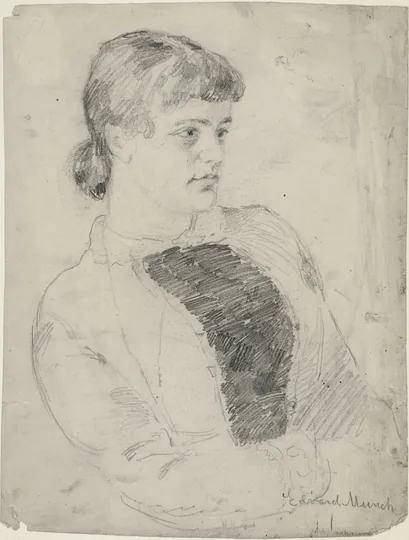
Pencil portrait sketch of a young woman on aged paper, scanned as a raster image
Before: a scanned pencil sketch, paper tone and all.
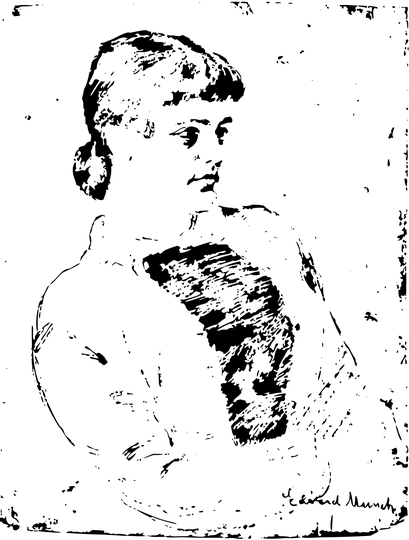
The same portrait as clean black vector lines on a transparent background | vectorize image
After: line art mode removed the paper and kept the drawn lines as single-colour paths.

What Does It Mean to Vectorize an Image?

Vectorizing means describing a picture with geometry instead of pixels. When you vectorize image files, every edge becomes a curve, every area becomes a filled shape, and the whole artwork can be resized without losing sharpness.

Raster to vector in plain words

Raster formats such as PNG and JPG store a fixed grid of coloured squares. Enlarge one and the squares show. A vector file stores instructions instead, such as "draw a curve from here to there and fill it red". Software can redraw those instructions at any size, which is why sign makers, engravers and printers ask for vectors.

How an image vectorizer works

Each time you vectorize image files with StyleSVG, our AI looks at the whole picture, decides where real edges are and ignores noise such as JPEG blocks or paper grain. It then fits smooth curves to those edges and groups areas of similar colour. The result is far cleaner than the auto-trace buttons in many editors, especially on small or soft images.

Image to vector formats

Vector artwork can live in several file types. SVG is the most common and opens in browsers, Cricut Design Space and design apps. PDF and EPS are what many print shops ask for. You get all three from one conversion, along with a transparent PNG.

SVG converter →

Why Use Our Vectorize Image Tool?

Converting a picture is only the first half of the job. The second half is getting a file that is actually usable, and that is where most of our work went.

Line art mode for drawings and sketches

Phone photos of drawings come with grey paper, shadows and uneven light. Line art mode evens out the paper, keeps only the ink and returns crisp single-colour lines that a laser or plotter can follow. It is part of the vectorize image tool at no extra cost.

Convert image to vector and keep editing

After the preview appears you can remove the background, reduce the colours, recolour shapes or group them into layers. Edits sit on top of the traced result, so you never need to vectorize image files twice to try a different look. Downloads always reflect your latest edits, whether you choose SVG, PDF or EPS.

PNG to EPS converter →

Honest results on hard images

We tell you when an image is too small for fine detail, and we upscale and denoise small JPEGs before tracing. Photos become a stylised, poster-like vector rather than a perfect copy, and the page says so before you pay.

How to Vectorize Image Files in 3 Steps

To vectorize image files here you need no plug-ins, no desktop software and no tracing settings to learn.

1

Upload the picture

Drop a PNG, JPG, WEBP or GIF up to 25 MB onto the converter above. For drawings on paper, switch on line art mode first; for photos with a busy background, switch on AI background removal.

2

Review the vector preview

Within seconds you will see the traced artwork next to your original. Zoom in to check the curves, then adjust colours, background and layers until it matches what you need.

3

Download the vector files

Sign in with Google and the first file is free. Later files cost $6.99 each or come with a monthly plan. Each unlocked file can be downloaded as SVG, PDF, EPS and PNG.

See pricing →

Which Pictures Vectorize Best?

Any PNG, JPG or WEBP can be traced, but when you vectorize image files of certain kinds the results come out much cleaner than others.

Logos, icons and clip art

Flat colours and sharp edges are ideal. Even a small logo saved from a website usually comes back clean enough to print on merchandise, and you can match its colours to the brand.

JPG to SVG converter →

Hand-drawn sketches and line art

Ink and pencil drawings vectorize well once the paper is removed. Line art mode handles uneven lighting from phone cameras, so you can photograph a drawing instead of scanning it.

PNG to SVG converter →

Photos with a clear subject

Pets, people and products work best when the subject stands out from the background. Use AI background removal and two to six colours for a bold, graphic look suitable for decals and engraving. Busy group shots and landscapes turn into many small shapes, so crop to the main subject before uploading.

Vectorize Image FAQ

Turn your picture into scalable vector art

Vectorize an image