
StyleSVG

SVG to DXF

Convert SVG to DXF for free, right in your browser. Choose millimetres or inches, and get a clean DXF R12 file at the correct size, with every colour on its own layer, ready for laser cutters, CNC routers and CAD software. Your file is never uploaded and there is no sign-up.

Drop an SVG file here

SVG up to 10 MB · converted in your browser, never uploaded

Choose SVG

Your SVG is converted on this device and never uploaded. External fonts and images in the file are not loaded.

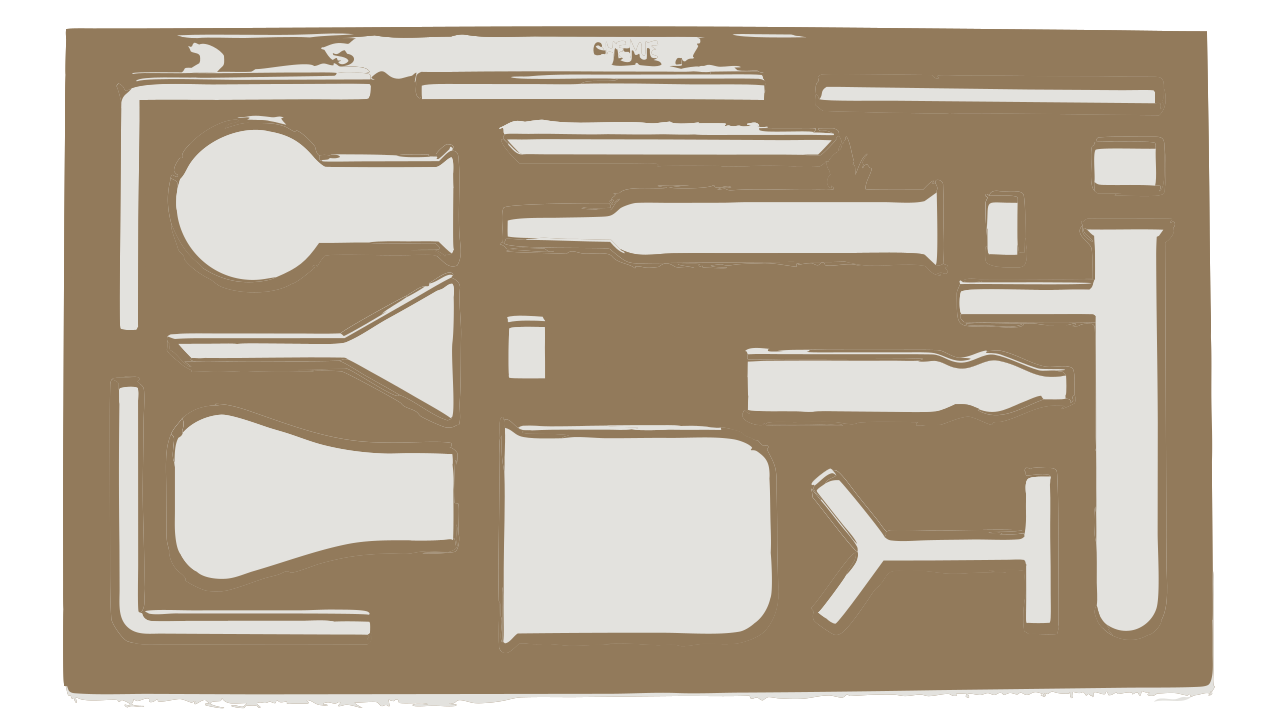
Laboratory glassware stencil as an SVG vector file
Before: an SVG stencil with filled shapes in two colours.
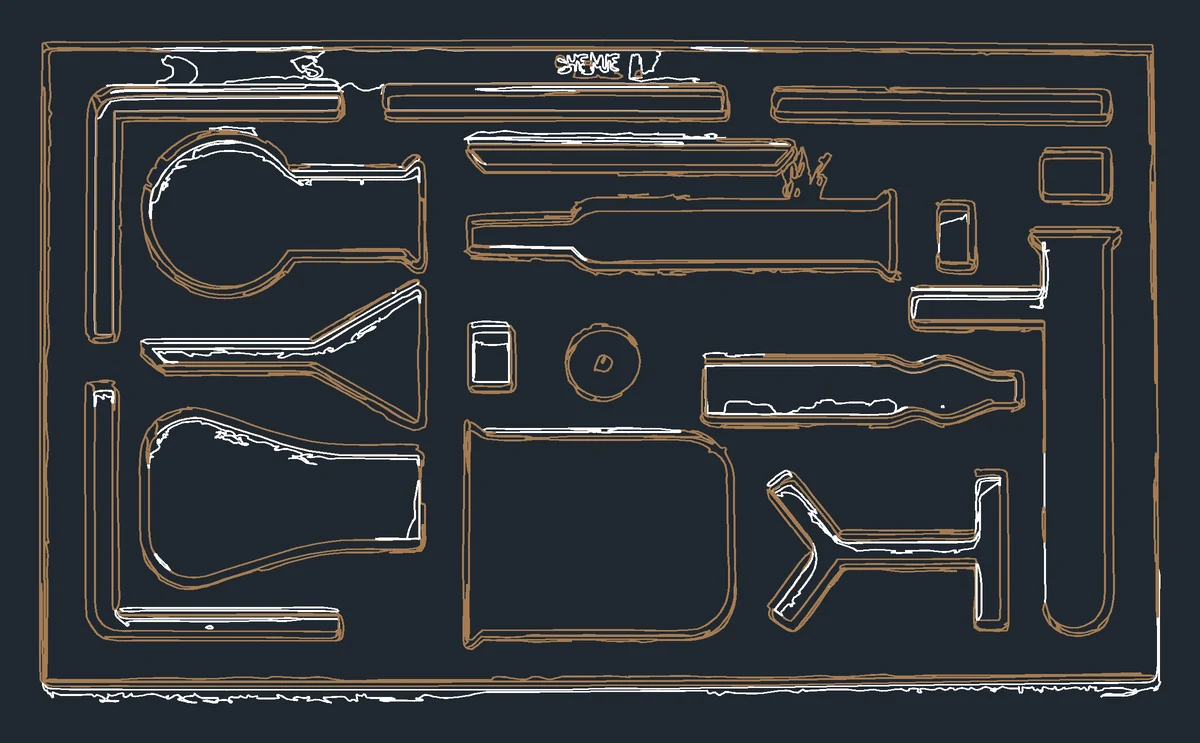
The stencil as DXF outlines on two colour layers, shown in a CAD view | SVG to DXF
After: a 338.7 × 190.8 mm DXF with 229 outlines on 2 colour layers.

Why Convert an SVG File to DXF?

SVG is the vector format of the web and of craft cutters. DXF is the drawing exchange format that CAD, CAM and many laser and CNC programs are built around.

CAD and CNC software expects DXF

AutoCAD, Fusion 360, FreeCAD, SolidWorks and most CAM tools for routers, plasma and waterjet cutters import DXF directly but handle SVG poorly or not at all. A DXF copy lets you bring a logo or design into a machining workflow without redrawing it.

Cleaner files for laser cutting

Laser software such as LightBurn opens both formats, but many shops and online cutting services ask for DXF because it contains only geometry. There are no hidden fills, effects or embedded images that might be cut or engraved by mistake. It also keeps a clear record of the exact geometry you approved.

Outlines instead of filled shapes

An SVG describes filled and stroked shapes with colours; a DXF describes lines. Converting turns every shape into its outline path, which is exactly what a blade, bit or laser follows. Grouping by colour is kept as layers so you can still assign different operations.

Why Use This SVG to DXF Converter?

Many online converters return DXF files at the wrong scale or with every shape on one layer. This one was built for people who send files to machines.

True size in millimetres or inches

The SVG's width, height and viewBox are converted at 96 pixels per inch, exactly as browsers and Inkscape measure them, so a 100 mm design arrives as 100 mm. Nested group transforms, rotations and reused symbols are all applied, and the drawing is flipped to CAD's upward Y axis.

One layer per colour

Each stroke or fill colour becomes its own layer named after the colour, with the nearest AutoCAD colour index. In LightBurn or CAD you can then give each layer its own cut, score or engrave setting without regrouping anything.

Private, free and compatible

The conversion runs in your browser, so designs never leave your computer, and there is no limit or watermark. The output is DXF R12 ASCII with simple polylines, the version that practically every CAD, CAM and laser program can read. Files from Inkscape, Illustrator, Canva and our own AI converter all work.

How to Convert SVG to DXF in 3 Steps

The whole process takes a couple of seconds, even for detailed designs with hundreds of shapes.

1

Choose the SVG

Drop an .svg file of up to 10 MB onto the box above, or click Choose SVG. DXF is already selected as the output format on this page.

2

Pick units and precision

Choose millimetres, inches or pixels, and Standard or Fine curve precision. The note below the buttons shows the drawing size, how many outlines and colour layers the DXF will contain, and anything that cannot be converted.

3

Download and import

Click Convert and download DXF. In your CAD or laser software, import the file with the same unit you chose here, and the design comes in at its true size.

Tips for Clean DXF Files

A little preparation in your design app avoids surprises at the machine.

Turn text and thick strokes into paths

Text is not converted, and a stroke becomes a single centre line no matter how thick it is. If you need the letters or the full width of a stroke cut, use Object to Path or Outline Stroke in your design app before converting.

Check the size when importing

DXF R12 files do not store a unit, so CAD and laser programs ask for it or assume one. Set the import unit to the one shown in the note here, and measure one known dimension after import. A ruler or the measure tool in your software takes seconds and saves material.

Starting from a PNG or JPG?

If your design is only a picture, our AI converter first traces it into clean vector shapes. Download the SVG, then bring it back here to turn it into a cutting-ready DXF.

PNG to SVG converter →

SVG to DXF FAQ

Ready to cut your design?

Convert SVG to DXF