
Vector, not pixels
A PNG QR code is a fixed number of pixels, so enlarging it for a poster or a sign blurs the edges that scanners rely on. An SVG describes each module as a shape, so it prints as crisply at 2 cm as at 2 m.
Create a QR code SVG that stays sharp on a business card, a shop window or a laser-engraved sign. Type a link, Wi-Fi details, a contact card, an email, a phone number or any text, or read an existing QR code image, choose the colours and printed size, and download the code as SVG, PNG or DXF. The code is made in your browser, never expires and has no tracking redirect.

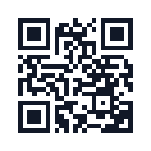
A QR code is a grid of dark and light squares, called modules. Saving it as a vector keeps every module a perfect square at any size.
A PNG QR code is a fixed number of pixels, so enlarging it for a poster or a sign blurs the edges that scanners rely on. An SVG describes each module as a shape, so it prints as crisply at 2 cm as at 2 m.
Most generators draw hundreds of separate squares that overlap at the edges. Here touching modules are merged into one outline per shape, which is what Cricut, Silhouette and laser software need to cut or engrave cleanly.
Because the file is a vector, you can recolour it or place it on a label design in any design app. A logo can be added right here, and small changes such as colours can also be made in our SVG editor.
SVG editor →Many QR code sites send scans through their own redirect and turn the code off after a trial. This one writes your content straight into the code.
The link, Wi-Fi password or contact card is stored in the code itself, so it keeps working for as long as the printed copy exists, with no account and no subscription.
Every code is scanned in your browser as you change it and marked as readable. Warnings appear for low contrast, a light code on a dark background and a quiet zone that is too thin.
Set the printed size in millimetres and see the size of each module. Download DXF for laser and CNC software, a transparent SVG for vinyl, or a large PNG for documents.
It takes less than a minute.
Pick Link, Text, Wi-Fi, Email, Phone, SMS or Contact and fill in the fields, or read an existing code from an image to redraw it. The preview updates as you type.
Choose square modules or dots, the error correction level, colours or a transparent background, an optional logo, the quiet zone and the printed width.
Download SVG, PNG or DXF, then scan the printed or cut result with your phone before you make many copies.
A vector QR code fits anywhere a design can go.
Cut the square style from vinyl on a Cricut or Silhouette and weed it like any other design. Keep it at least 3 cm wide so the modules stay big enough to weed.
Engrave the DXF or SVG on wood, acrylic or anodised aluminium for table signs, product tags and Wi-Fi plaques. Engrave the dark modules and leave the background bare for the best contrast.
Laser cut box generator →Place the SVG on business cards, menus, flyers and labels without worrying about resolution. For a print shop that asks for a PDF, convert the finished artwork in one step.
SVG to PDF →